
NEW PLAN FOR CONTRACTORS AND SUPPLIERS
Join Twind Core
Simplify your daily operations, ensure compliance with your clients, and avoid access interruptions.
We connect more than 180,000 contractors and suppliers with 3,500 companies worldwide






Plans
Keep your work moving: your access, always under control
Choose the plan that best suits your company: additional features to give you more control and visibility.
BASIC
For those just starting with contractor compliance management
Dashboard
Document upload
Resource management
Standard notifications
Real-time status

CORE
For contractors working with multiple clients
Everything in the BASIC plan
Status with expiry date
Subcontractor management
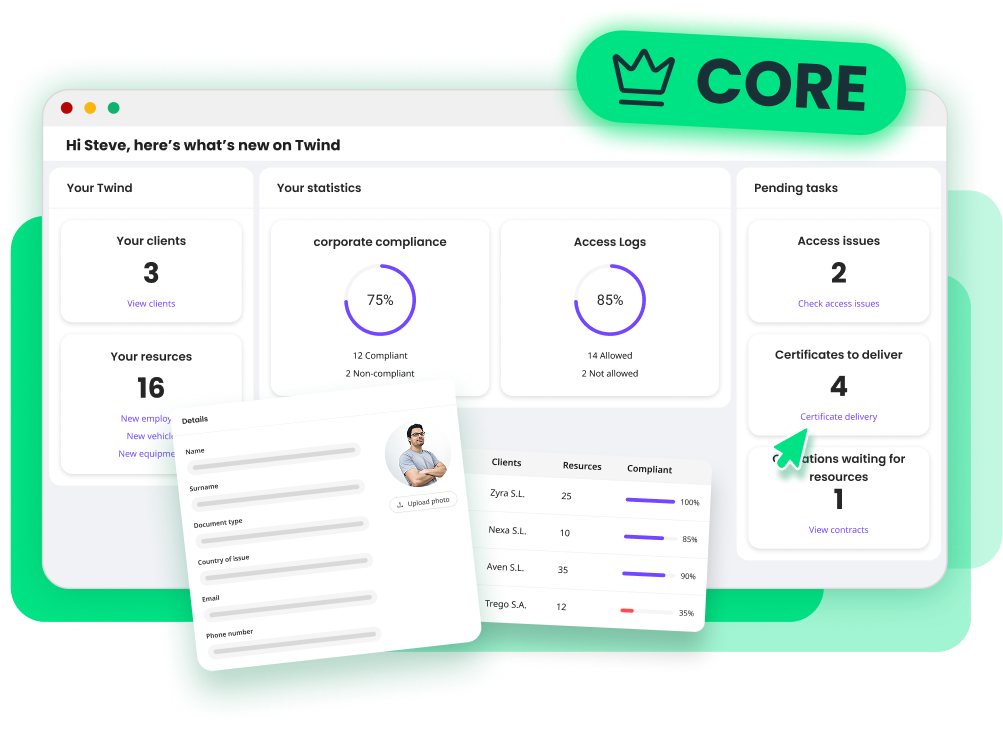
Access logs
Excel export
User roles and permissions
PLUS
More control and automation
Everything in the CORE plan
Document centre
Single upload for multiple clients
AI-powered document classification
Make the switch to Twind Core and gain real control over your operation
All your coordination with clients, in one place.

Access always up to date
View the status and expiry date of each document or resource on a single screen. Avoid blocks and delays.

Real visibility of your operation
See access and exit logs for your team at every client. Know where each resource has been, for how long, and under which access permissions.

Teamwork
Assign roles and permissions so your admin team can work confidently. Each person accesses only what they need.

Clear reports in seconds
Export data to Excel and monitor your compliance quickly and easily.

And if you work with subcontractors…
Manage their documentation directly from your own account and track what they have submitted and what is still pending.
Features
BASIC for compliance, Core for full control
BASIC |  CORE | |
|---|---|---|
Dashboard Get a quick snapshot of your most important account information as soon as you log in. | ||
Document upload Upload the documents requested by your clients to grant access to your resources. | ||
Resource management Manage your employees, vehicles, and equipment, and assign them to projects. | ||
Standard notifications Receive weekly alerts about pending, expired, or soon-to-expire requirements. | ||
Real-time status Check whether each resource has authorised or blocked access to the worksite. | ||
Status with expiry date Anticipate blocks by reviewing the expiry date of each access. | - | |
Access logs View and download access and exit records for your resources at each client. | - | |
Roles and permissions Define what each team member can view or edit to work more securely. | - | |
Subcontractor management Upload and review documentation from your subcontractors directly from your account. | - | |
Excel export Download key account information in an Excel file. | - |

International Contractor Safety Management Software
Powered by

For Hiring Companies
For Contractors and Suppliers
Resources
©Twind. All Rights Reserved