Create the project
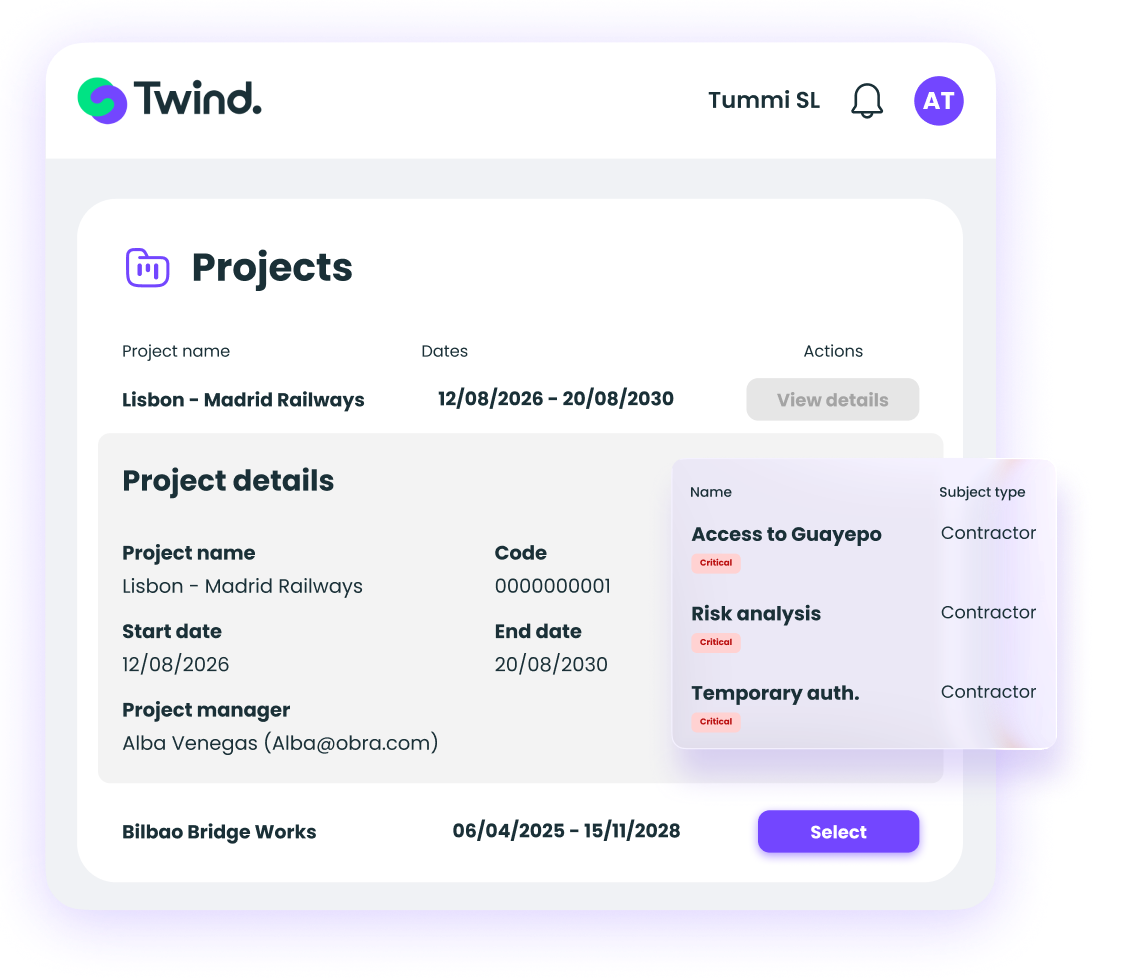
Set the name, the code, the start and end dates, and the work site or area where the project takes place.

Group the contracts, contractors and subcontractors working on sites across different locations, so you can manage their requirements and check the status of every company from a single dashboard.
We are part of CTAIMA, with over 20 years helping companies manage contractor and supplier compliance.







Four steps to manage compliance on a site with multiple contractors.
Set the name, the code, the start and end dates, and the work site or area where the project takes place.
Twind suggests the contracts that match the project dates. Subcontractors inherit the project from the parent contract automatically, and Twind flags the workers affected.
Configure documentation specific to the site, kept separate from each company's standard requirements. Set the mandatory risks every worker on the project must meet in order to gain access.
Check which contractors have their documentation in order and which still have items outstanding. The subcontracting tree shows the full chain of responsibility.
Avoid setting up the same requirements contract by contract and spend less time preparing and maintaining each site.
Keep the same minimum requirements for every contractor linked to the project, even when they work across different locations.
See from a single view which companies are ready and which still have documentation outstanding, before work starts.
See which contractors and subcontractors are working on the site and who each one reports to, making coordination easier.
Check the compliance status of every contractor linked to the site from a single dashboard
No need to review contract by contract
Get an up-to-date view of every company taking part in the project
Set the project's minimum risks once
Twind applies them automatically to every associated company and contract
No need to duplicate the setup for each contract or site
See the full subcontracting chain for every participating company directly from the project record
Link all companies to the project in a single step
Twind generates contracts in bulk instead of creating them one by one
Request documentation exclusive to the project, with its own naming, kept separate from standard documentation
Five configurable templates: company, worker, vehicle, contract and information
Use the project code as the sync key with your external ERP or CMMS
Legal framework
Projects is designed for works and sites involving multiple contractors that require dedicated coordination, separate from standard contractor safety management.

Fill in the form and a contractor safety management specialist will contact you within 24 hours with a personalised walkthrough of the platform.
Projects groups contracts from different locations under a single site, lets you define mandatory risks just once, and shows the compliance status of every linked contractor from a single dashboard.
For works and sites involving several contractors that require dedicated coordination: construction works, planned shutdowns, industrial maintenance or facility upgrades with several contractors on the same site.
Project documents carry their own name identifying the site they belong to, and are managed independently from each contractor's usual requirements.
Yes. Each project record includes the full subcontracting tree: which company works under whose responsibility, at any given moment.
Yes. Each project has its own code that you can use as a synchronisation key with your external system, to identify which companies are active on the site at any given time.

International Contractor Safety Management Software
Powered by

For Hiring Companies
For Contractors and Suppliers
Resources
©Twind. All Rights Reserved